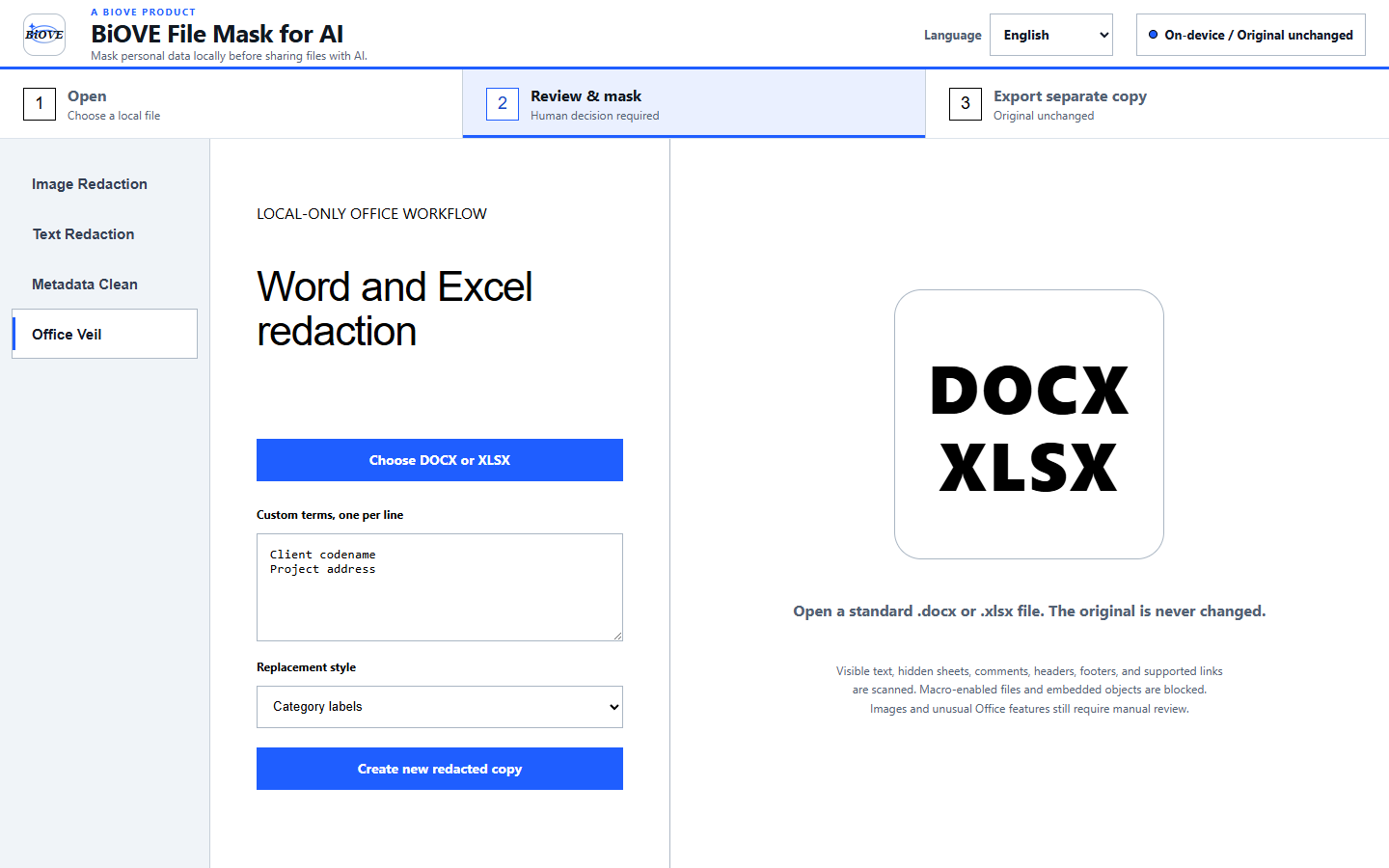
26-second real product recording

See the Windows EXE review four file types.

This is actual LocalVeil Studio 1.3.2 footage, not a reconstructed interface. Watch image, PDF, Word, and Excel review using synthetic samples before deciding whether to install the free Preview.

Windows 10/11 x64 · Simplified-Chinese app interface shown · silent video with English on-screen copy · current Preview and paid executables are unsigned beta builds

Actual Windows EXE footage from version 1.3.2. The files shown are synthetic and all suggested findings and outputs require manual review.

Visible transcript

What the video shows, second by second.

  1. The actual Windows EXE 1.3.2 opens with a Simplified-Chinese interface and synthetic sample files.
  2. Image review: select what to cover yourself. In the recorded workflow the file stays on this PC, while OCR suggestions still need human review.
  3. PDF review: manually mask page regions and export a separate flattened copy. The source PDF remains unchanged.
  4. Word review: replace reviewer-selected terms in a new DOCX copy and remove supported document metadata.
  5. Excel review: inspect suggested matches, choose what to replace, then export a separate XLSX copy.
  6. Close: local files and new copies. No upload is required for the workflow shown.

Important limits

The recording is evidence of a workflow, not a guarantee.

Human review remains mandatory

LocalVeil does not automatically identify every name, account number, face, or other sensitive item. Local OCR can miss, split, or misread text and does not detect faces.

Exports are separate copies

PDF export is flattened and does not preserve original text layers, forms, links, signatures, or accessibility structure. DOCX and XLSX replacements can affect layout or formatting. Reopen every output.

“Local” is scoped to this workflow

The supported workflow shown does not upload the source files. LocalVeil is an independent Windows app and does not integrate with cloud storage, AI services, Word, Excel, or messaging platforms.

Unsigned Windows beta

The current Preview and paid executables are unsigned. Windows may display a SmartScreen warning. Do not install if your device or organization prohibits unsigned software.

No automatic or complete redaction claim: this video does not prove regulatory compliance, complete metadata removal, perfect format preservation, or that an output is safe to share. A qualified reviewer decides what to conceal and verifies the result.

Preview first

Try the same Windows workflow for $0 before buying.

Use synthetic or authorized test files. The free Preview opens supported files and shows the real review workflow; clean exports require the Individual license.

One purchaser, one-time Windows license. Review the security model, license terms, and refund policy.