Zero uploads
Images, PDFs, Word documents, Excel workbooks, and OCR are processed inside the installed app on your device.
Offline redaction software for Windows
Find supported OCR and privacy-pattern matches in images, PDF pages, Word documents, and Excel workbooks, then choose what to mask and inspect every new export—without uploading anything.
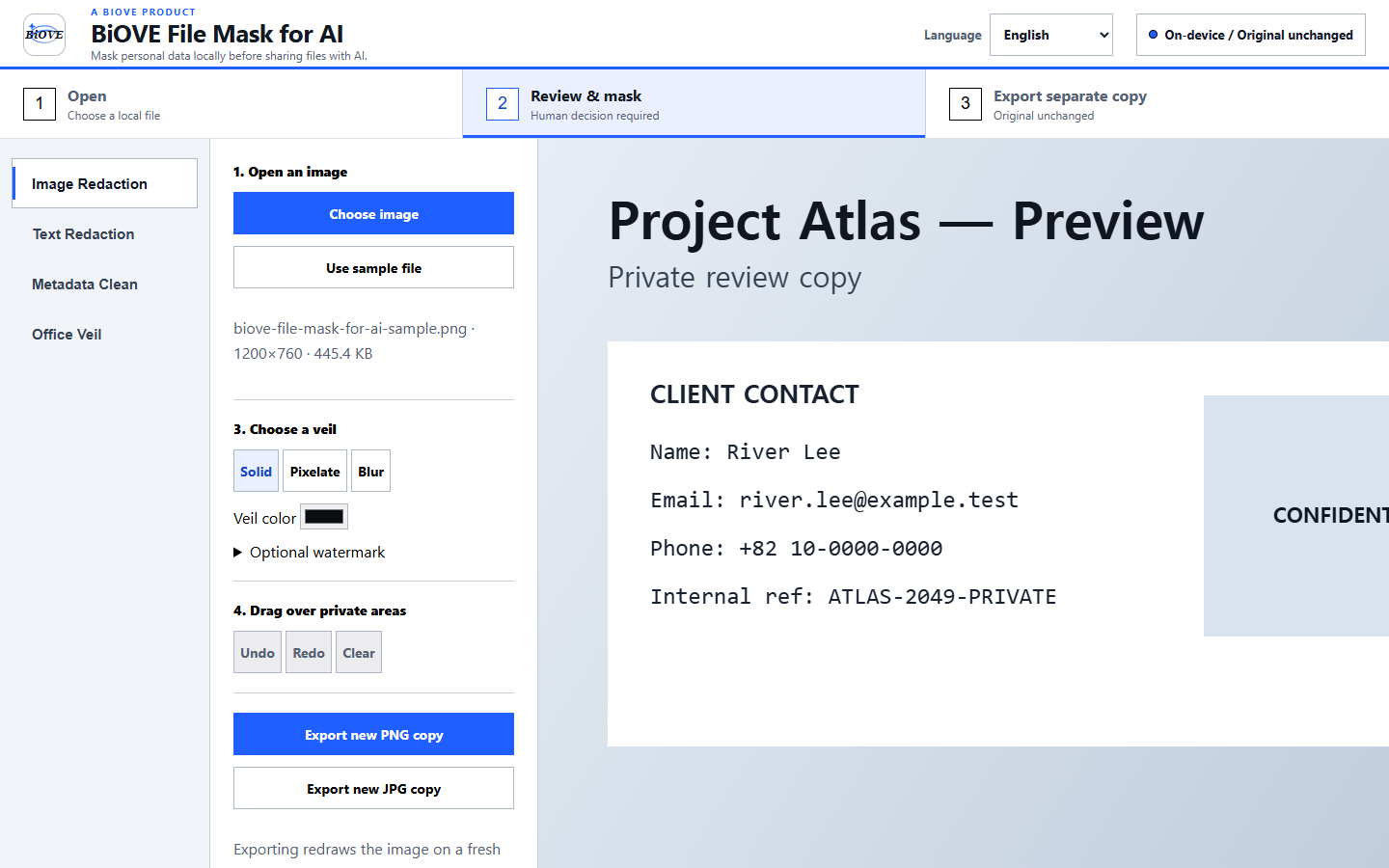
Images, PDFs, Word documents, Excel workbooks, and OCR are processed inside the installed app on your device.
Images, flattened PDFs, and redacted Office copies are rebuilt as new files; originals stay untouched.
No account, API key, remote scripts, analytics, cloud storage, or subscription.
BiOVE File Mask for AI creates new downloads and never edits or deletes the source file.
Free Windows Preview
The free Preview is the actual local Windows app. Open images, PDFs, Word documents, and Excel workbooks, then review supported OCR and privacy-pattern suggestions plus masking options. PNG and JPG export with a permanent Preview watermark; clean, PDF, Office, batch, and text exports unlock in the full version.
Actual downloadable product
The recording opens a synthetic image, runs local OCR, applies one suggested mask, opens and flattens a synthetic two-page PDF, then creates separate redacted DOCX and XLSX copies. The source fixtures remained unchanged. Automatic findings can miss or misclassify content, so every export must be reviewed before sharing.
Verified desktop build
This is the Windows Preview delivered in the customer package—not a styled browser mockup.
No source file is uploaded. Originals remain unchanged.
Installer and portable versions
Your checkout receipt provides the package immediately after payment. No account is required inside BiOVE File Mask for AI.
Use the installer for shortcuts or launch the portable EXE without installation. Both contain the same private processing tools.
Choose an image, PDF, Word, Excel, or text file and keep working without internet, cloud storage, analytics, activation, or background uploads.
The current paid and Preview executables are not code-signed, so Windows SmartScreen may show an “Unknown publisher” warning. Verify the published SHA-256 release hash before running it.
Compare the buy-once license, review the client screenshot workflow, or see how offline OCR-assisted review works.
See the desktop workflow
Drag over the exact screenshot areas you want hidden. Choose solid, pixelate, or blur; solid is recommended for high-risk concealment. Optionally add a visible review-copy watermark.
Review and mask each PDF page, then create a new flattened PDF without the original selectable text, forms, links, signatures, or layers. See the PDF workflow →
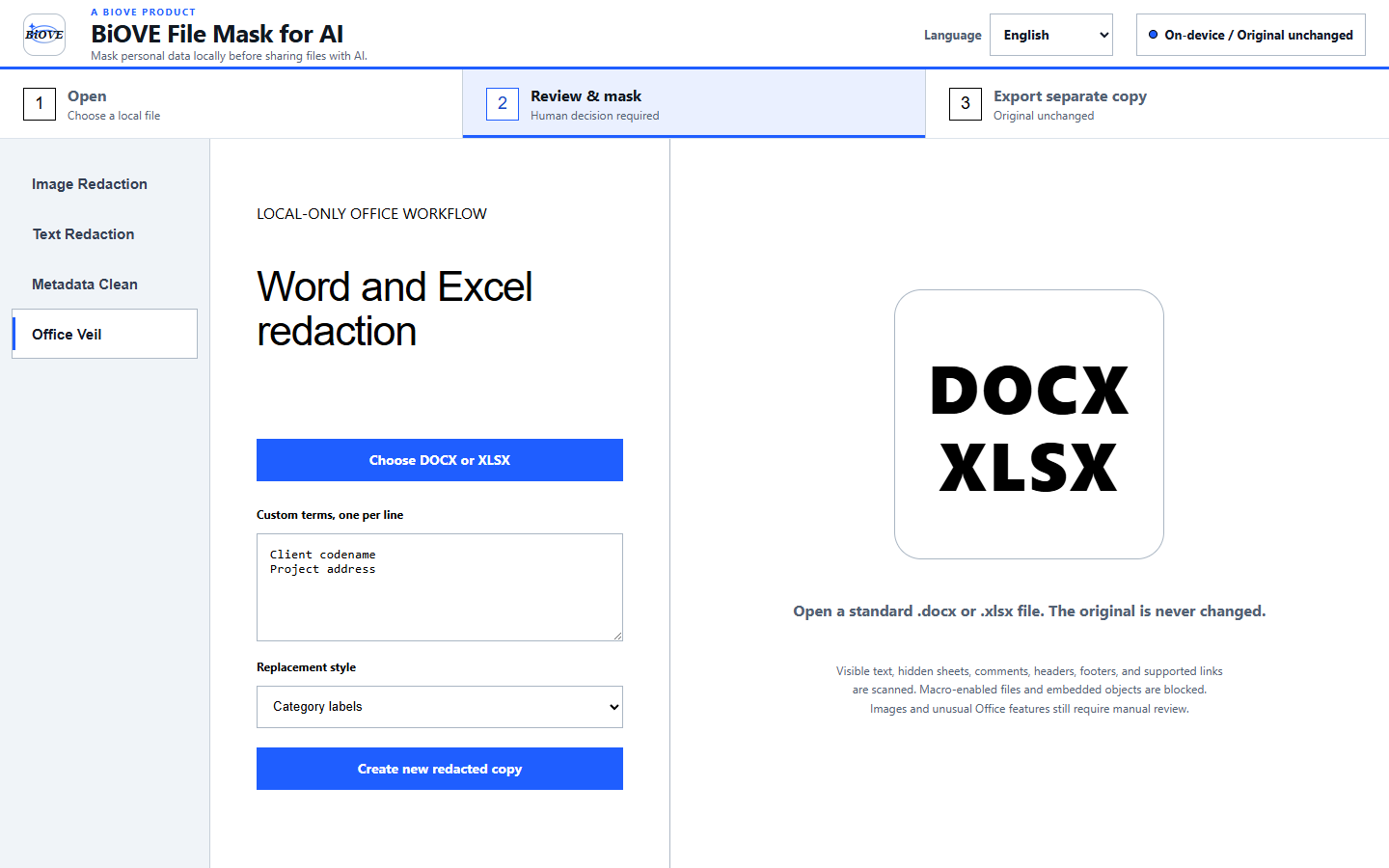
Scan DOCX and XLSX text, comments, headers, footers, formulas, and hidden worksheets, then save a new redacted copy without changing the original. Word details → Excel details →
Export a newly rendered PNG or JPG. BiOVE File Mask for AI creates a separate copy and never changes the original file. See the multi-image workflow →
Launch licenses
Permanent Individual price: $29 one time.
Every tier includes the same app and guides; the price changes the
permitted internal user count. Checkout shows the final total and any
applicable tax.
After payment, the receipt provides immediate access to the selected
ZIP download. Delivery, duplicate-charge, or material-conformity
issues may be reported within 14 days; review the
refund policy for the exact scope.
BiOVE File Mask for AI is a practical privacy aid, not a guarantee against every
disclosure. Always inspect exported files before sharing. Use solid
masks for high-risk concealment.
Buyer FAQ
No. The downloadable app contains no network requests, analytics, cloud storage, remote scripts, remote fonts, accounts, or API keys.
Use Solid for high-risk concealment. Pixelation and blur are visual treatments and should not be treated as strong redaction.
No. BiOVE File Mask for AI creates new PNG, JPG, flattened PDF, DOCX, or XLSX files and never edits, overwrites, moves, or deletes the source file.
The current paid Windows package is version 1.5.1 and supports images, PDFs, DOCX, XLSX, and pasted text. The current free Preview delivery is also version 1.5.1 and keeps watermarked image export limits. A legacy unsigned 1.3.2 Preview remains available by direct download for evaluation only. Macro-enabled or embedded-object Office files are blocked. It does not edit videos, encrypted PDFs, or cloud files directly. Supported-pattern suggestions still require final review.
The receipt provides a ZIP download for the selected license. Choose the Windows installer or portable executable. No BiOVE File Mask for AI account, subscription, or activation server is required.
Individual covers one purchaser. Team covers up to 10 named users in one organization. Business 25 covers up to 25 named users and lets the unmodified package live on an access-controlled internal file share. Every tier includes the same app and guides.
Yes. The license limits sharing of the BiOVE File Mask for AI product package, not the PNG, JPG, PDF, or text files you export. Exported files may be used without restriction.
No. Support needs only the order number, app and operating system version, and non-sensitive error text. Never attach the screenshot or text you intended to redact.
Try first. Buy only if it fits.
The free Preview opens supported images, PDFs, DOCX, and XLSX files locally and exports permanently watermarked PNG or JPG copies. If the workflow fits, Individual unlocks clean image, PDF, Office, batch, and text exports for one named user on up to two devices.