Redact candidate resumes locally before client submission.
Prepare a separate client-facing copy of a supported DOCX, PDF, or image resume on your Windows PC. You choose what is permitted to be concealed, review every change, and keep the original candidate file unchanged.
Windows 10/11 · version 1.5.1 · free Preview opens supported files · clean export requires a paid license · current builds are unsigned
Current 1.5.1 Office workflow. This is not a simulated recruiting dashboard, automatic resume anonymisation, or an ATS integration.
A reviewer-led workflow
Make a permitted sharing copy, not a rewritten candidate record.
1
Define the allowed fields
Confirm which contact or identifying details may be concealed, who will receive the copy, and which format the client or ATS accepts. Keep the source intact.
2
Review locally
Inspect supported DOCX text matches, or place PDF and image masks under human control. OCR can suggest text regions, but it does not understand recruiting context.
3
Reopen before submitting
Save a separate output, compare it with the original, and check every page, heading, date, table, link, and required disclosure before client submission.
Supported resume formats
Each format has a different redaction trade-off.
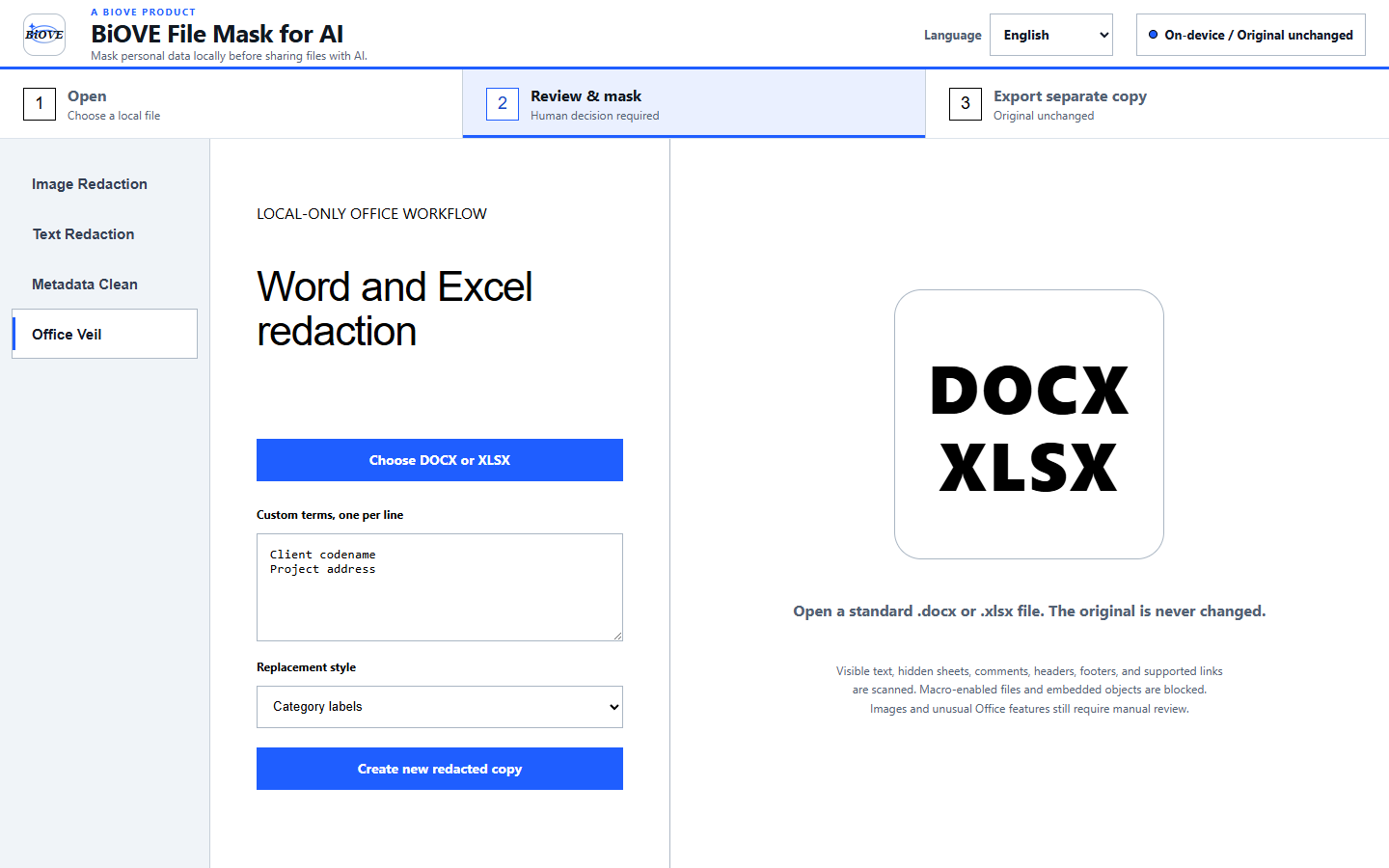
DOCXReview supported pattern matches and custom terms across document text, headers, footers, comments, footnotes, and endnotes.Creates a separate DOCX copy. Replacement text can reflow or affect complex layouts, so perfect visual preservation is not guaranteed. Macro-enabled files and packages with embedded objects are blocked.
PDFDraw masks over selected page regions manually; optional local OCR can suggest English or Simplified Chinese text regions for review.Creates a separate flattened PDF made from page images. Selectable text, forms, links, signatures, annotations, and original layers are not carried forward, and accessibility or ATS parsing can be reduced.
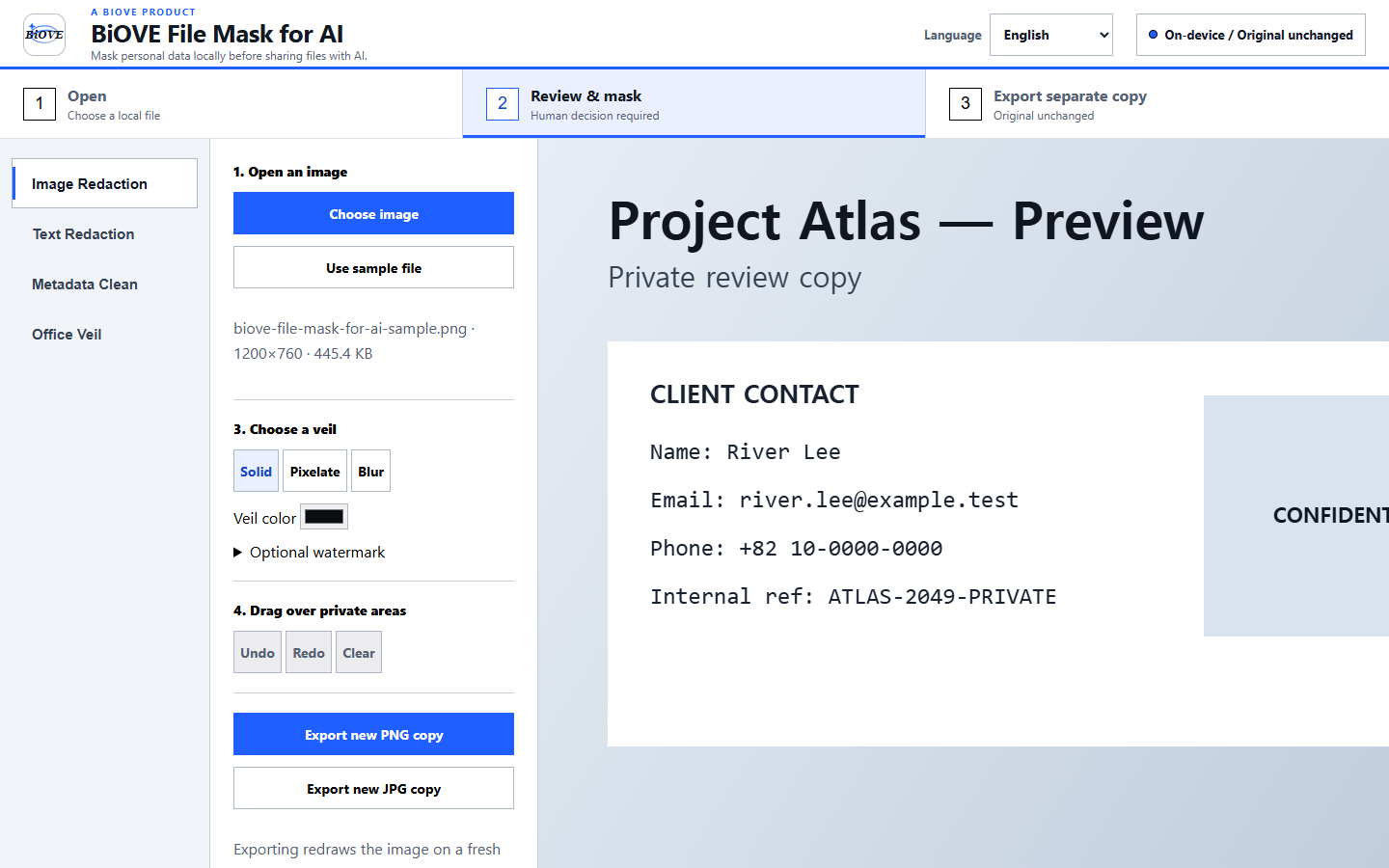
ImageDraw solid, pixelated, or blurred masks manually; optional local OCR suggestions still require review.Creates a separate PNG or JPG. Solid masks are the clearest option for sensitive text. OCR can miss, split, or misread content, and there is no face detection.
BiOVE File Mask for AI does not automatically identify candidate names, employers, schools, credentials, or faces. It does not provide batch resume processing, ATS integration, anonymous-hiring certification, bias removal, guaranteed GDPR or EEOC compliance, or guaranteed client acceptance.
Product evidence
See the interfaces used for resume files.
DOCX workflow Review supported findings before a separate document copy is created. See the full Word workflow and limits.Image workflow Select regions yourself and export a separate image review copy. See the image workflow and limits.
LocalSupported source-file contents stay inside the installed Windows app during this workflow.
Separate copyThe source file is not overwritten; reopen and inspect the new output before sharing.
Human reviewPattern matches and OCR suggestions are incomplete aids, never a substitute for recruiter review.
Know the limits before installing
Local processing does not make the submission automatically safe or compliant.
No semantic auto-detection: the app does not know which text is a candidate name, employer, school, credential, protected characteristic, or required disclosure.
OCR is only a suggestion: English and Simplified Chinese OCR can miss, split, or misread text in scans, images, unusual fonts, handwriting, and complex layouts. It does not detect faces.
No perfect layout promise: DOCX replacements can reflow. Flattened PDF output removes original interactivity and can reduce searchability, accessibility, and ATS parsing. Confirm the recipient accepts the resulting format.
No hiring or legal guarantee: BiOVE File Mask for AI is not an ATS, candidate-consent system, employment-law service, or compliance certification. It does not guarantee bias removal, GDPR compliance, EEOC compliance, or acceptance by any client or platform.
Unsigned beta: the current paid and Preview Windows executables are unsigned and Windows may show a SmartScreen warning. Do not install either release if your organization prohibits unsigned software.
Verify the workflow before paying
Open a permitted test copy in the real app for $0.
The free Preview lets you inspect supported local workflows before purchasing. Use a synthetic or authorized test resume, confirm the output meets the recipient's rules, and buy only if the workflow fits.